Know the tool
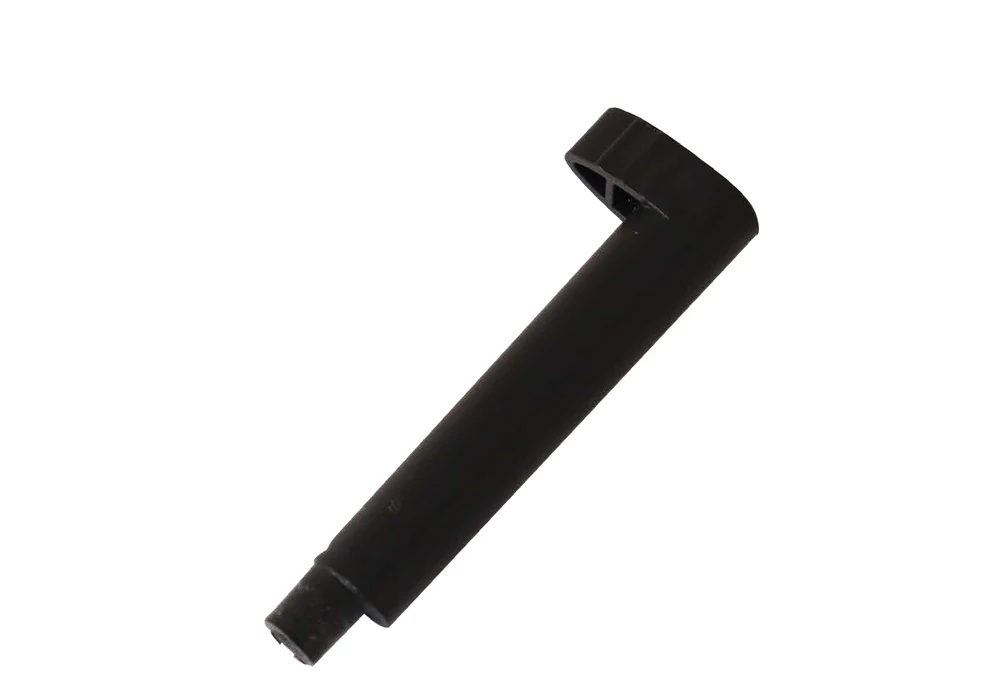
Your goal: Choose the demonstrated pin position, engage the cam, and check that the board stays secure.
This lesson uses the cam pin and compatible Maplewoodshop bench shown in the class demonstration. The offset cam tightens against the board as it turns.
Identify the stem, offset contact area, compatible bench holes, and the bench stop or rail used by your setup.
Watch and prepare
At your station
- A compatible Maplewoodshop bench, its cam pin, and an instructor-selected board.
- A clear bench with all cutting tools put away during setup practice.
Demonstration and setup
- Have the instructor identify the matching bench, sound pin, correct holes, and board support.
- Use the approved left or right hole position that suits your hand dominance and keeps the intended tool path clear.
- Watch the direction of engagement and release. Keep fingers clear of contact and pinch areas; do not force a poor fit.
Practice
Start after the demonstration and the instructor's setup check. Stop and ask for help if the work moves or the tool does not behave as demonstrated.
Place the board.
Position the board against the demonstrated bench support. Point to the planned cutting or shaping area without picking up a tool.
Choose the hole.
Select the approved hole on the appropriate side. Insert the pin fully as demonstrated, with the contact area facing the board.
Engage the cam.
Turn gently in the demonstrated direction to press the board against its support. Stop if the pin binds or the board lifts.
Test and release.
With tools at rest, show the stability check. Release the cam under control and remove the board only when it is free.
Show your skill
Show the instructor these observable results before using the skill in a project:
- The pin and bench match and the board has the required support.
- The cam holds the board without lifting it or obstructing the planned operation.
- You can explain when a different holding arrangement is needed.
Check your understanding
Can the same cam-pin position be assumed correct for every cut?
Reveal the explanation
No. Board orientation, support, hand position, and tool travel change with the operation. Have the instructor approve the actual arrangement before each new setup.
Answer aloud or on paper, then compare with the explanation.
Use the skill
Apply it in a project
Maplewoodshop materials adapted with permission. Images © Maplewoodshop. Practice tasks and learning checks by STEM Guides. Maplewoodshop.